Turning a Cheap 4G LTE Stick into a Standalone OTP Receiver with Linux
I keep a Myanmar SIM alive for one reason: OTPs. Banks and a few government services back home still send codes by SMS, and swapping SIMs in and out of a phone every time one arrives got old fast.
What I wanted was boring. A small box on a phone charger that holds the SIM, roams onto a Canadian network, and pushes every SMS to my phone. No second handset, no SIM tray.
I already had the hardware: a HiMiLink “4G UFI” LTE USB stick, the kind sold as a pocket MiFi. Inside is a Qualcomm MSM8916 with 512 MB of RAM, the same SoC as old Android phones. It ended up running mainline Linux, forwarding SMS to Telegram, and serving its own web UI over home Wi-Fi.
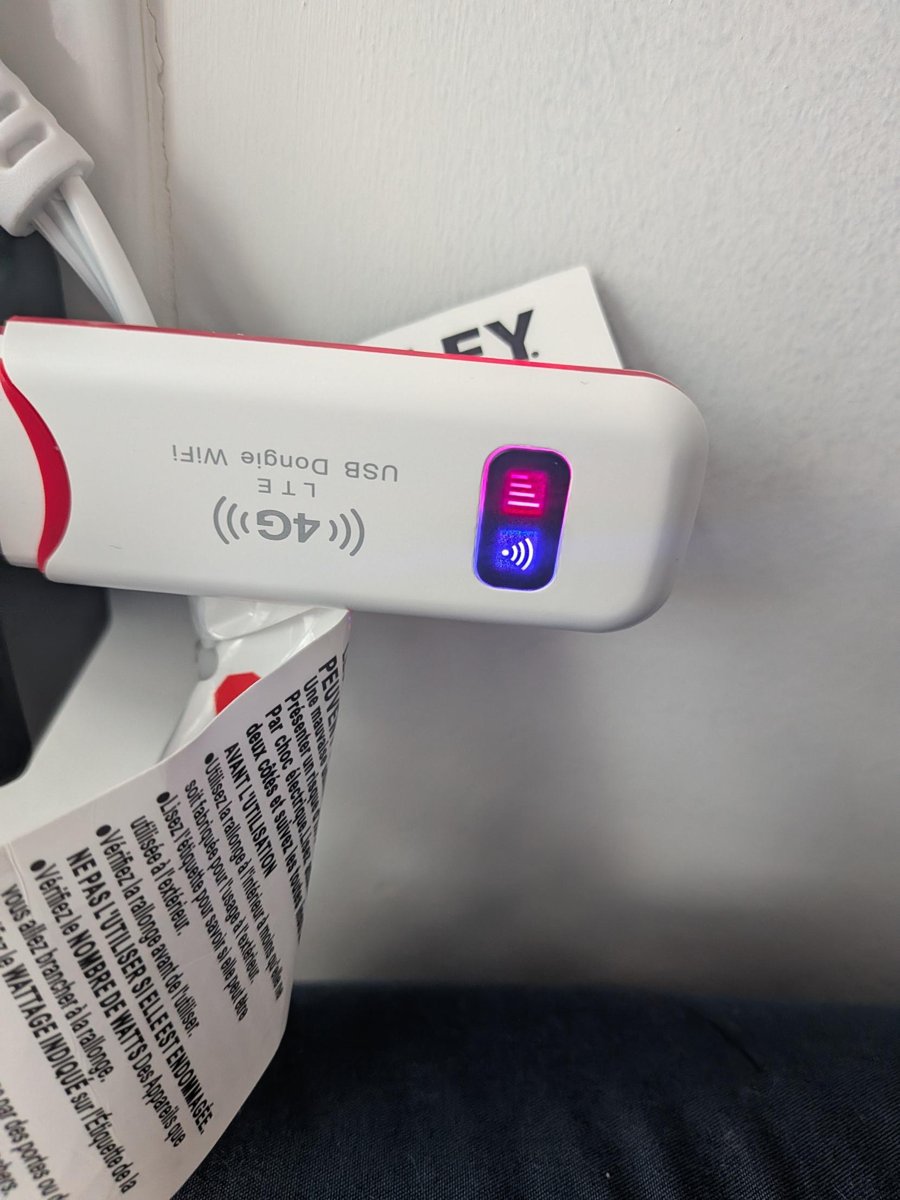
The code, device tree and notes are on GitHub: sawwn23/himi-ufi-nura.
Warning. Getting here meant replacing the stick’s boot firmware over Qualcomm’s EDL mode. That can brick the device or wipe its IMEI and RF calibration. Other UFI sticks are wired differently. If you try this, take a full backup of your own stick first.
Round 1: the stock firmware
The stick ships with Android 4.4.4 and a vendor web UI on port 8000 (admin/admin, of course). That UI has no SMS feature at all. I checked the web server binary for the string “sms” and got zero hits. The API only covers Wi-Fi, APN, network, reboot and USB tethering.
So I looked for the messages themselves:
- SIM storage: empty. All 40 EF_SMS records were marked free.
- Modem storage: empty, according to ModemManager.
- Android’s telephony DB (
mmssms.db): this is where old messages were, behind root.adbcomes up as the unprivilegedshelluser.run-asandadb backupwere both blocked. Andadb rootexists, but it’s a custom vendor build that asks for a password.
I did find one useful lever. The vendor API call sethimiusbtether with params:"0" switches the stick from RNDIS tethering into plain modem mode, which exposes a QMI port that ModemManager can drive. Setting sys.usb.config directly doesn’t stick, because a vendor watchdog reverts it.
The other problems were physical. Inside the Proxmox chassis the stick had no signal at all. One laptop USB port browned it out, while a USB 3.1 port powered it fine. Once it had enough power and a window, it roamed onto Rogers LTE straight away. Roaming had never been the problem: placement and power were.
Round 2: a web UI over ModemManager
With the stick in modem mode on the laptop, I wrote a small Go web app (standard library only) on top of ModemManager. It shows status, a signal chart, SMS threads, sending, USSD codes and SIM PIN entry.
Two design choices held up all the way through:
- Reads go through
mmcli -J. Writes that take free text go through D-Bus (busctl callonMessaging.CreateandModem3gpp.Ussd). Because the SMS body travels as a D-Bus argument, it never needs shell quoting. Everything that does reachmmcli(PIN, APN, USSD code, phone number, SMS ID) is regex-validated first. - Never cache the modem’s D-Bus index. It changes on every replug, reboot and ModemManager restart, so the app resolves the modem path on every request.
That worked, but the stick was still tied to the laptop. The next step was to run Linux on the stick itself.
Back up before anything else
Before touching the firmware I took a full eMMC dump over EDL: every partition, both GPTs and a SHA256SUMS file. Six of those partitions (fsc, fsg, modemst1, modemst2, persist, modem) hold the IMEI and RF calibration. Lose those and the radio is gone for good.
The dump had a bonus. EDL reads the raw flash, so Android’s permissions don’t apply to it, and mmssms.db came along with everything else. The three old messages that adb root had been guarding came straight out of the backup.
Round 3: mainline Linux on the stick
The OS is Nura, which is postmarketOS under its new name (it was renamed in September 2026). MSM8916 has good mainline support thanks to the msm8916-mainline project, and OpenStick had already shown that these sticks can run it. Mine still needed its own work.
Fingerprinting the board
The vendor’s device trees are generic Qualcomm reference trees, so they don’t describe this board. I worked out the real wiring from the stock DTB and live Android sysfs:
- The SIM goes through eSIM-select GPIOs. GPIO 119 has to be high and 12, 14 and 114 low. With any other combination, the modem sees no SIM. These are set through the
&mpsspinctrl in the DTS. - LEDs, confirmed by watching them: gpio72 is red (power), gpio73 green (Wi-Fi associated), and gpio71 blue (unused, so I took it).
- Reset/EDL button: gpio37, active-high.
One detail to watch: the DTB has to be built against the msm8916-mainline kernel tree (v6.12.1-msm8916), not Linus’s tree, because it uses nodes that only exist there.
The kernel died before it started
Every mainline kernel I tried, arm64 and armv7, died before any driver probed. The cause was the stock 32-bit TrustZone, which has no PSCI. Without PSCI the kernel can’t bring up the CPUs the way it expects.
The fix was to replace the whole boot chain:
sbl1 / rpm / tz   DragonBoard 410c, Linaro release 176
hyp               qhypstub
aboot             lk1st (lk2nd 23.1 built as the primary bootloader)
The DragonBoard tz doesn’t fit in the stock partition, so this also needed a new GPT, based on the OpenStick layout. The six calibration partitions were then restored from the backup at exactly their original sizes.
lk2nd didn’t know this board, so I added a himi,ufi-esim entry. It matches on the panel string the stock bootloader passes, which is st7735s_128160. That’s an LCD controller, and this stick has no screen, but the string is unique, so it works as an ID. The patch is in nura/fw/patches/. The firmware binaries themselves are not in the repo. They’re Qualcomm/Linaro blobs, and the GPT only fits one stick’s partition sizes.
Packaging
The board lives in a pmbootstrap device package, device-himi-ufi, based on upstream device-zhihe-generic. It uses msm-firmware-loader, so at boot the modem and Wi-Fi firmware are read from the stick’s own modem and persist partitions. I never had to redistribute vendor firmware.
After pmbootstrap install, the stick booted Nura, joined Wi-Fi, registered on LTE and received SMS.
The modem crashed every 15 minutes
Then the modem firmware started crashing about every 15 minutes, logged as a fatal error in lte_ml1_common_timer.c.
The cause turned out to be deliberate. About 300 seconds after the modem starts, the HiMiLink baseband compares NV item 2500 against the string HiMI_OK. If it doesn’t match, the modem shuts itself down roughly 10 minutes later. The modem also clears that item on every boot. On stock Android, some vendor process must write it back each time. Under Nura, nothing did.
I found this thanks to the “Modem Stability” notes in akbar-npj/msm8916-openwrt. The fix is a small service, himi-ok-guard. It binds the modem’s DIAG channel (/dev/rpmsg0) and uses a tiny Go tool, diag_nv, to write HiMI_OK back into NV 2500, and only when the item is all zeros. There’s been no crash since.
I kept a modem-watchdog as a fallback anyway. On a firmware crash it stops and restarts the modem’s remoteproc and re-unlocks the SIM, which takes about a minute. It only reboots the stick if that fails, with a back-off that runs from 10 minutes up to 6 hours. systemd also feeds the PM8916 hardware watchdog, so if the whole system freezes it hard-resets after 60 seconds.
What runs on the stick
Rogers LTE ── modem DSP (stock Qualcomm firmware, from the stick's own partitions)
                 │ QMI
           ModemManager ◄── sim-autounlock.service (PIN from /etc/sim-pin)
                 │ D-Bus (polkit rule for user lte-dongle)
        lte-dongle.service  (Go, user lte-dongle)
           ├── :8080 web UI + JSON API (login required) ──► home Wi-Fi only (nftables)
           └── forward loop, every 5 s ──► api.telegram.org ──► my phone
After power-on, everything comes up by itself. Wi-Fi connects in about 30 seconds, the SIM unlocks, and the stick registers on Rogers about a minute after power-up. An SMS reaches Telegram within about 5 seconds of arriving.
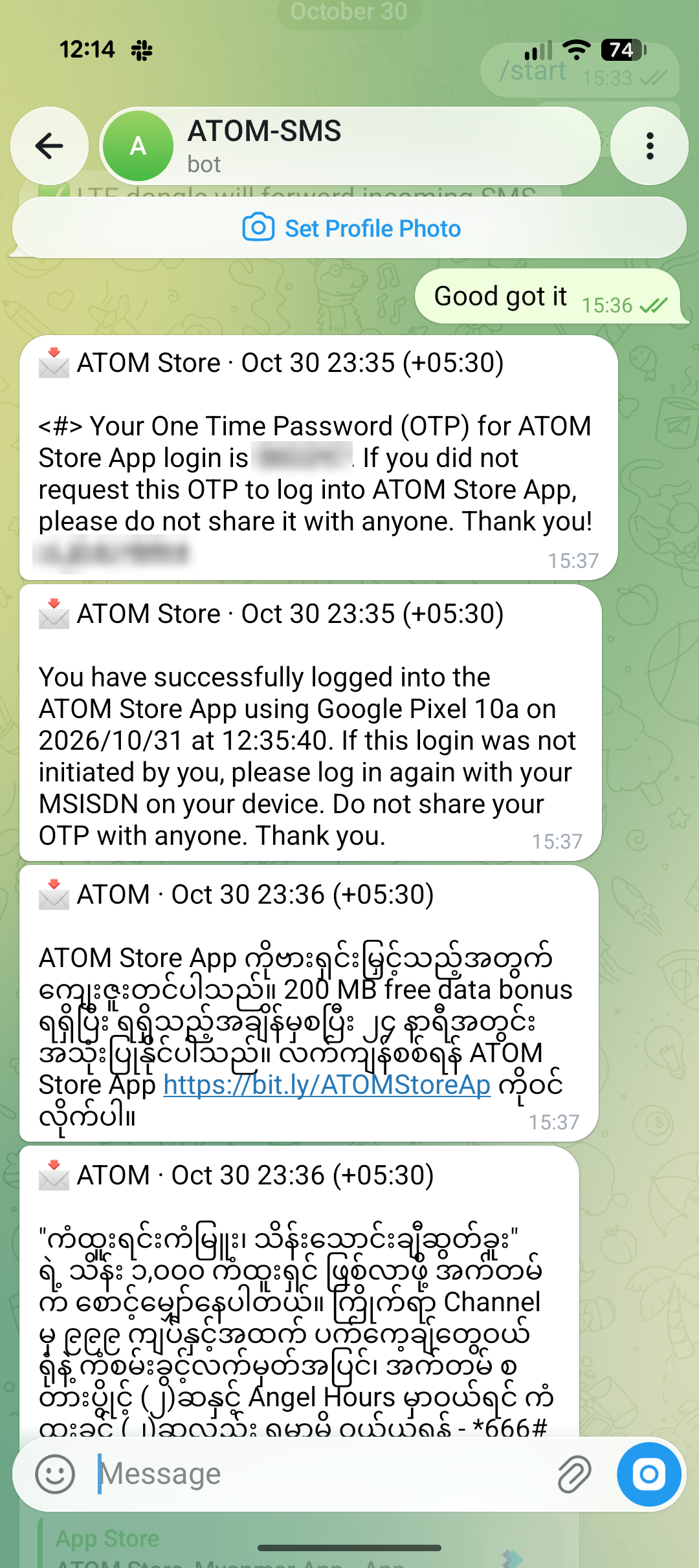
Some details that took a few tries:
- SIM auto-unlock is conservative. It only enters the stored PIN when all three retries are left, so a bad PIN can never push the SIM into PUK lock.
- ModemManager 1.25.95 aborts once after every SIM unlock. systemd restarts it, so anything talking to it over D-Bus has to cope with it disappearing for a moment.
- Telegram forwarding de-duplicates by content hash, not SMS ID. ModemManager renumbers messages when it restarts, so IDs aren’t stable. A failed send is retried every 5 seconds.
- There’s no SMS archive. ModemManager only keeps messages in RAM, and I decided Telegram is the archive.
- The blue LED shows status. Solid means registered on LTE, a slow blink means searching or recovering, and a fast blink for a minute means a new SMS.
CPU on a 512 MB stick
My first version polled mmcli separately for each feature, and the service sat at about 30% of a core. Each mmcli call costs 60–85 ms of CPU on this SoC.
Now there’s one background poll every 5 seconds. It makes a single D-Bus GetManagedObjects call (about 25 ms), and forwarding, the LED and SMS listing all share the result. With no dashboard open, the service uses about 1% of a core.
Security
This box holds a SIM that receives bank OTPs, so I treated it accordingly:
- Login: a PBKDF2-SHA256 password hash, HMAC-signed session cookies valid for 30 days (changing the password revokes them all), about one guess per second allowed, and cross-origin writes rejected.
- It won’t listen on a network address without a password. With no password file, it only binds to loopback.
- Network exposure: nftables opens tcp/8080 on Wi-Fi and USB only, never on the LTE interface. avahi only announces
dongle.localonwlan0. It’s plain HTTP, so it stays on the home LAN. - Least privilege: the app runs as its own system user. A polkit rule lets that user control ModemManager without a login session. There’s no sudo on the stick, and root goes through
run0. - No secrets in git. The SIM PIN, password hash, session key and Telegram token only exist on the stick.
.gitignoreexcludes device backups because they contain the IMEI and calibration data.
The weak spot is Telegram itself. OTPs pass through a bot on Telegram’s servers. For my threat model, that’s better than a SIM I keep forgetting to check, but it’s a choice you should make knowingly.
What I’d tell myself at the start
- Back up the raw flash first. It’s your undo button. Here it also recovered the data the vendor had locked away.
- Most “it doesn’t work” problems were physical. Power, cable and placement explained more failures than any software bug. Moving the stick to a better room gained 10 dB of RSRP.
- When a kernel dies before driver probe, look below the kernel. Here it was a firmware limitation (no PSCI), not a bad config.
- Vendor firmware has opinions. The 15-minute crash was a check the vendor built in on purpose, not a bug. Somebody else had already found it, so it pays to read the forums and notes of people working on similar hardware.
- On small hardware, count your subprocess calls. Merging the polling into one D-Bus call took the service from about 30% of a core to 1%.
Credits
This was only possible because of other people’s work: msm8916-mainline (lk2nd, qhypstub, qtestsign and the kernel tree), OpenStick for the GPT layout and the firmware-swap approach, postmarketOS / Nura, and akbar-npj/msm8916-openwrt for the modem stability notes.
The repo is sawwn23/himi-ufi-nura. Original code is MIT, and the device tree is GPL-2.0-only.