Explore the Strands Agent Part I
What is Strands?
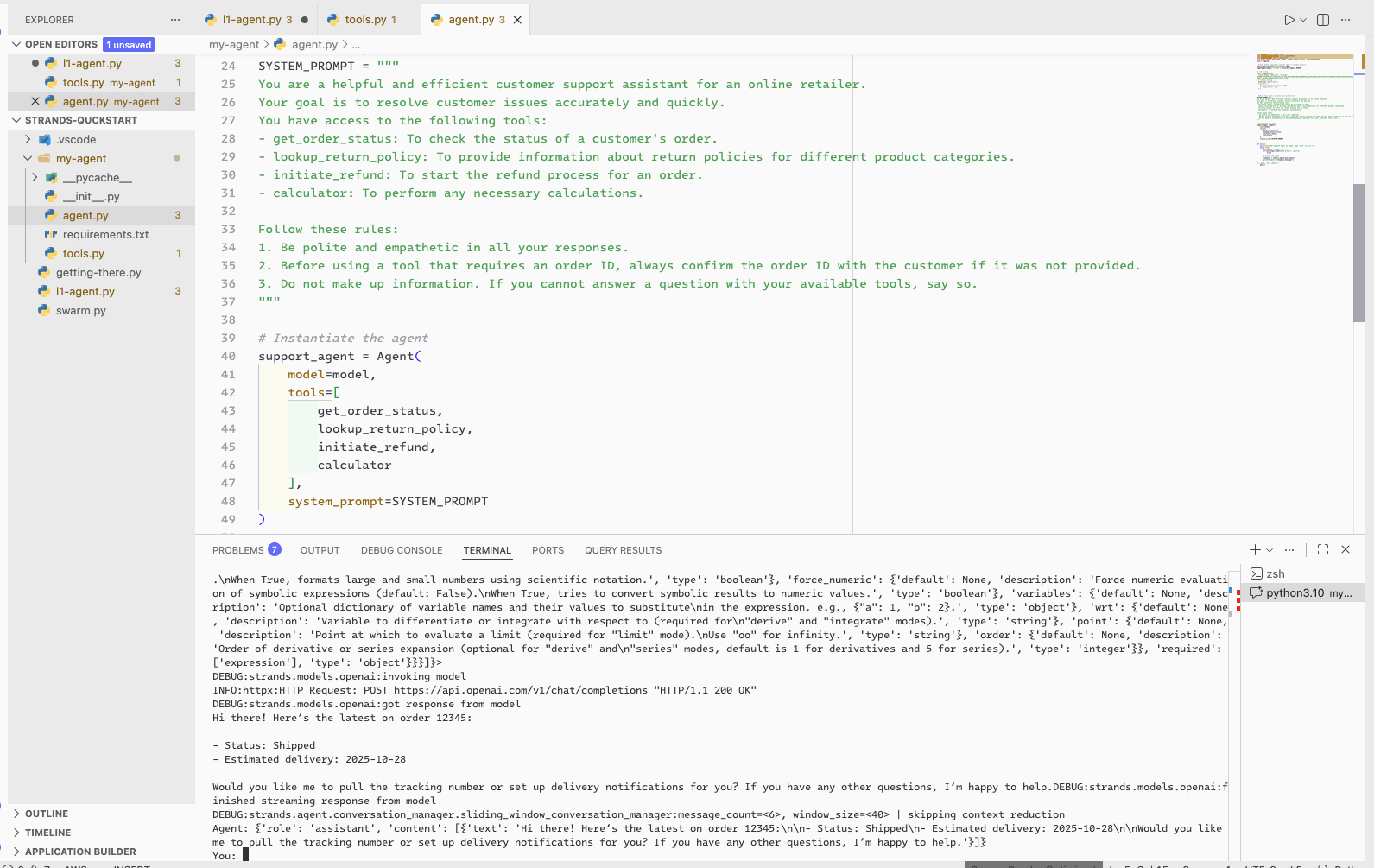
A Strands Agent is composed of three core components:
- Model: The brain (LLM). Strands supports many models including OpenAI, Anthropic, Amazon Bedrock, and even local LLM stacks with Ollama.
- Prompt: Also known as Context, which contains system and user prompts used to instruct the LLM’s persona. This is where we shape the agent’s behavior.
- Tools: Python functions, MCP (the de-facto standard for interacting with external services), or other external services that the agent can call to perform its main actions.
Agentic Loop Architecture
Instead of overwhelming the LLM with too many prompts, Strands leverages the LLM’s thought process through what’s called an “agentic loop” architecture:
- The agent receives a user request (e.g., “Find unattached EBS volumes that could be removed”).
- The LLM analyzes the request and determines the best approach (e.g., “I need to list all EBS volumes and check their attachment status”).
- The agent executes the appropriate tools as directed by the LLM (e.g., running AWS CLI commands).
- Results are fed back to the LLM for further analysis.
- The process repeats until the task is complete.
Model Context Protocol (MCP)
The Model Context Protocol architecture consists of two key components:
- MCP Clients: AI agents (frameworks) and chatbots that request information or execute tasks on behalf of users.
- MCP Servers: Data repositories, search engines, and APIs that retrieve relevant information or perform requested actions (e.g., calling external APIs).
MCP Servers expose four primary capabilities to clients:
- Resources: Structured data, documents, and content that can be retrieved and used as context for LLM interactions. This allows AI assistants to access relevant information from databases, search indexes, or other sources.
- Tools: Executable functions that enable LLMs to interact with external systems, perform computations, or take real-world actions. These tools extend AI capabilities beyond text generation, allowing assistants to trigger workflows, call APIs, or manipulate data dynamically.
- Prompts: Reusable prompt templates and workflows to standardize and share common LLM interactions.
- Sampling: Request LLM completions through the client to enable sophisticated agentic behaviors while maintaining security and privacy.
Elastic MCP and Tools
| Tool Name | Core Function | Typical Use Case by the Agent |
|---|---|---|
1. platform_core_search | Broad Data Retrieval | The go-to tool for finding documents, aggregating data (counting, summing), or performing relevance searches across a known index. It handles flexible natural language queries. |
2. platform_core_get_document_by_id | Specific Document Retrieval | Used to fetch the entire raw JSON source of a single log or document when the agent knows its unique ID (e.g., to review the full details of a specific alert). |
3. platform_core_list_indices | Basic Index Catalog | Lists all available indices, aliases, and data streams in the cluster, optionally filtered by a simple pattern (like *logs*). |
4. platform_core_index_explorer | Intelligent Index Discovery | Crucial for the agent’s strategy. It takes a natural language query (“authentication logs on Linux servers”) and intelligently recommends the most relevant indices to search. This is the tool that succeeded in your output. |
5. platform_core_generate_esql | Query Generation | Takes a natural language request (e.g., “count the number of login failures by user ubuntu in the last hour”) and translates it into formal ES|QL query syntax. |
6. platform_core_execute_esql | Query Execution | Used to run a verbatim ES|QL query directly against Elasticsearch. |
7. platform_core_get_index_mapping | Schema Inspection | Retrieves the mapping (schema) of a specified index, showing all field names and their data types. The agent uses this to understand what fields are available (e.g., user.name, source.ip) before writing complex queries. |
Building First Elastic MCP Agent with Strands
from strands import Agent
from strands.models.openai import OpenAIModel
from strands.tools.mcp import MCPClient
from mcp.client.streamable_http import streamablehttp_client
import os
import logging

logging.getLogger("strands").setLevel(logging.DEBUG)

# Sets the logging format and streams logs to stderr
logging.basicConfig(
    format="%(levelname)s | %(name)s | %(message)s",
    handlers=[logging.StreamHandler()]
)

model = OpenAIModel(
  client_args= {"api_key": os.getenv("OPENAI_API_KEY")},
  model_id= "gpt-4",
  # params={
    # "max_completion_tokens": 1000,
    # "temperature": 0.2,
  # }
)

# Elastic MCP client configuration
MCP_URL = os.getenv("ELASTIC_MCP_URL", "http://localhost:5601/api/agent_builder/mcp")
MCP_APIKEY = os.getenv("ELASTIC_MCP_APIKEY")

elastic_mcp_client = MCPClient(
    lambda: streamablehttp_client(
        url=MCP_URL,
        headers={"Authorization": f"ApiKey {MCP_APIKEY}"},
    )
)
elastic_mcp_client.start()
elastic_tools = elastic_mcp_client.list_tools_sync()

# Display available tools
print("Elastic MCP Tools:")
for tool in elastic_tools:
  print(f"- {tool.tool_name}")

agent = Agent(
    model=model,
    tools=elastic_tools,
    system_prompt=(
        "You are a cybersecurity analyst. Use the Elastic MCP tools to conduct threat hunting "
        "based on the given mission and provide detailed analysis reports."
    )
)

hunt_mission = """
Hunt for any suspicious login activities to Linux servers from unusual locations in the last 7 days.
Provide a summary of findings including any indicators of compromise (IOCs) and recommended remediation steps.
"""

agent(hunt_mission)
The First Invocation
Here’s what happens when the agent executes:
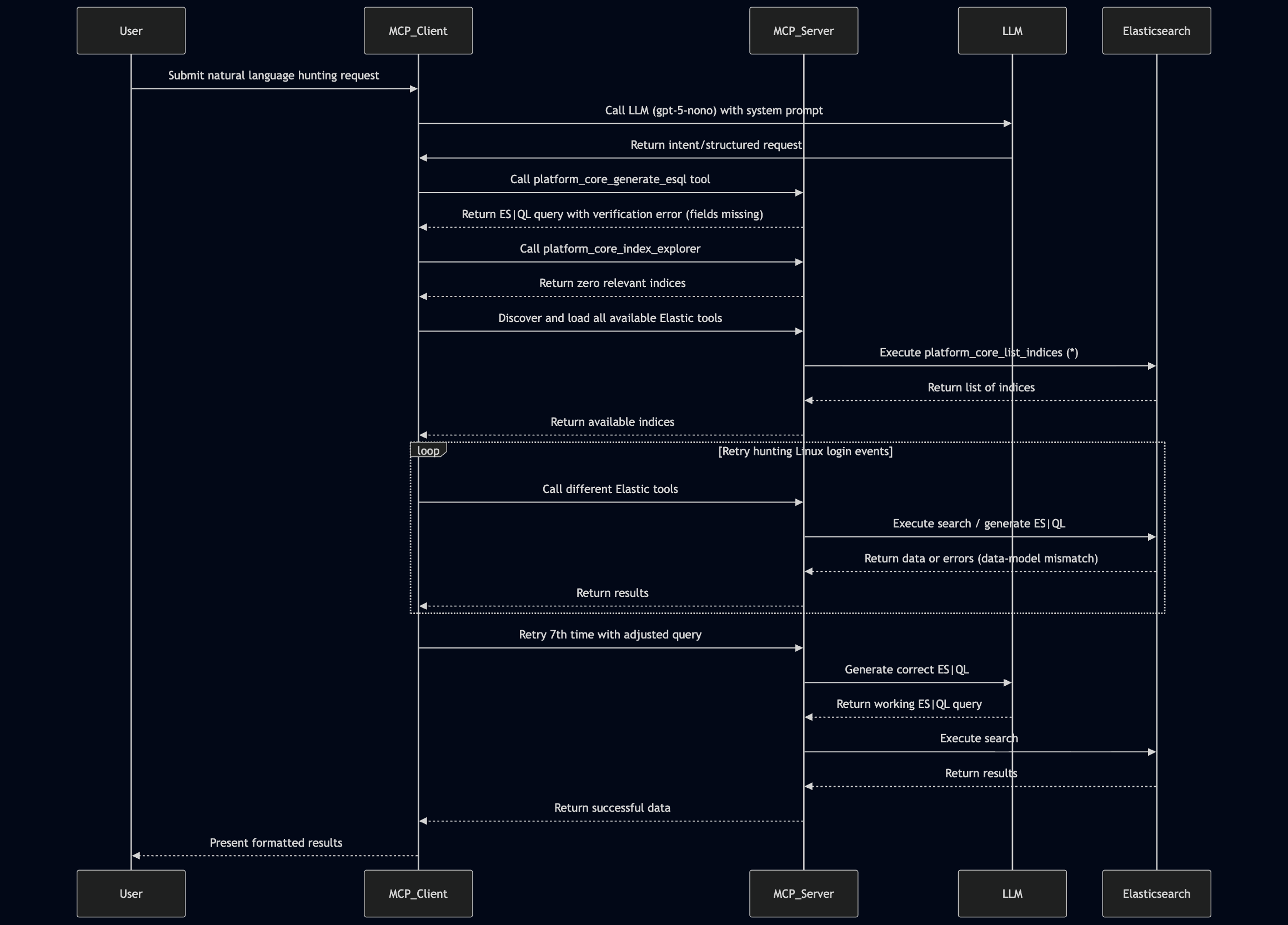
- The agent calls the LLM (GPT-4) with the system prompt.
- The model invokes the
platform_core_generate_esqltool to convert the natural-language hunting request into an ES|QL query. The MCP client runs this tool asynchronously and returns the result, which initially contains a verification error because fields likeuser.nameandsrc.ipdon’t exist in the chosen index. - The logs show that the
platform_core_index_explorertool completed successfully but returned zero relevant indices. - The Elastic MCP agent discovers and loads all available tools, then executes
platform_core_list_indiceswith the default*pattern, receiving the index list from Elasticsearch. - The MCP agent repeatedly tries different Elastic tools to hunt for Linux login events, but each step hits fundamental data-model mismatches: the ES|QL generator fails because expected fields don’t exist in the dataset, the index explorer returns no meaningful Linux-auth indices, and the index list shows only Elastic Agent and Endpoint data streams.
- The agent retries with different queries.
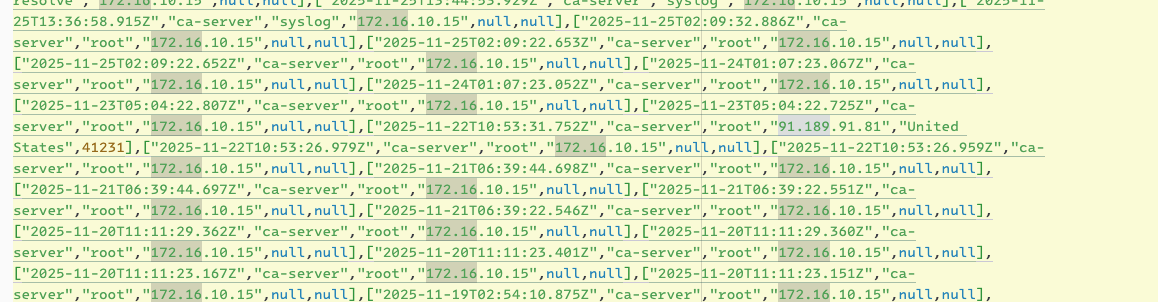
- After several iterations (7 attempts total), the agent generates a useful ES|QL query and returns data:
FROM logs-endpoint.events.network-default
| KEEP @timestamp, host.name, user.name, source.ip, source.geo.country_name, source.as.number
| LIMIT 100
Final Response
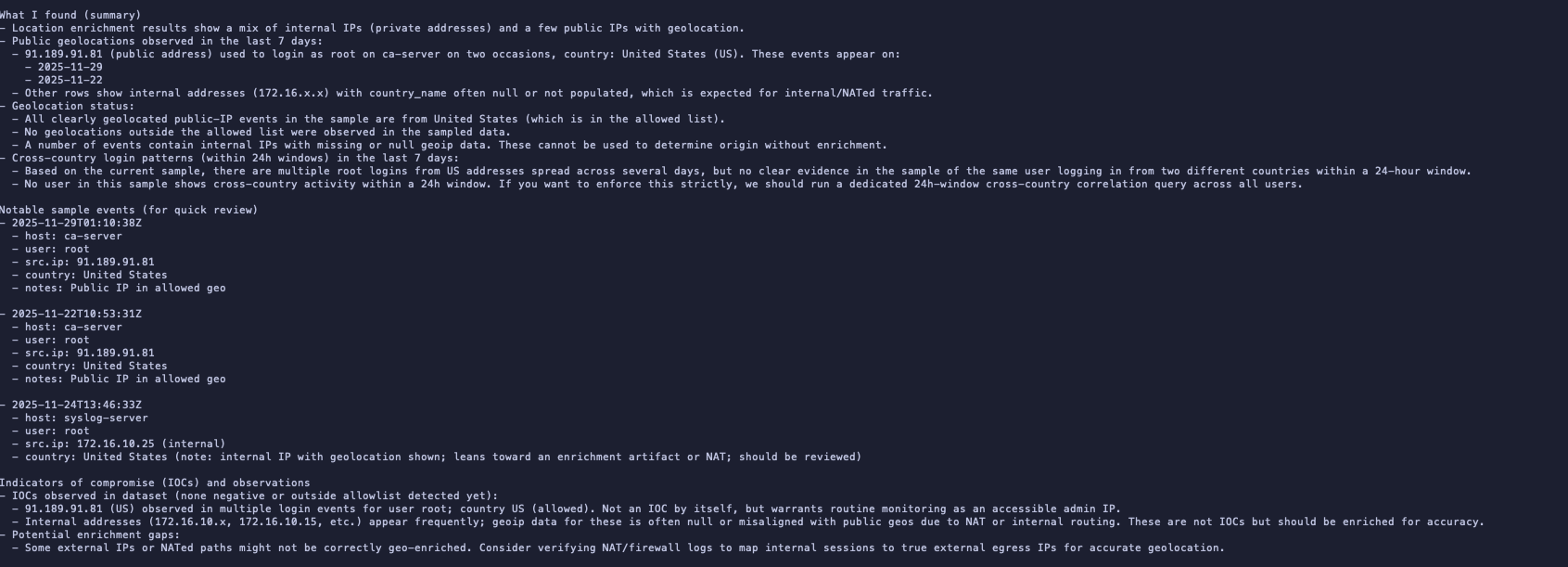
The agent successfully identified network events and provided analysis instead of auth log. Interestingly my servers aren’t public-facing (this is my home lab after all), one of the flagged IPs it turned out to be an Ubuntu NTP server..
Next Steps
Moving forward, I plan to:
- Optimize the iteration count: The agent made 7 iterations to find the right(I mean meaningful) query, which is excessive. I’ll tweak the Elastic MCP configuration to make it more efficient.
- Implement multi-agent architecture: Explore using Swarm to coordinate multiple specialized agents for more efficient.